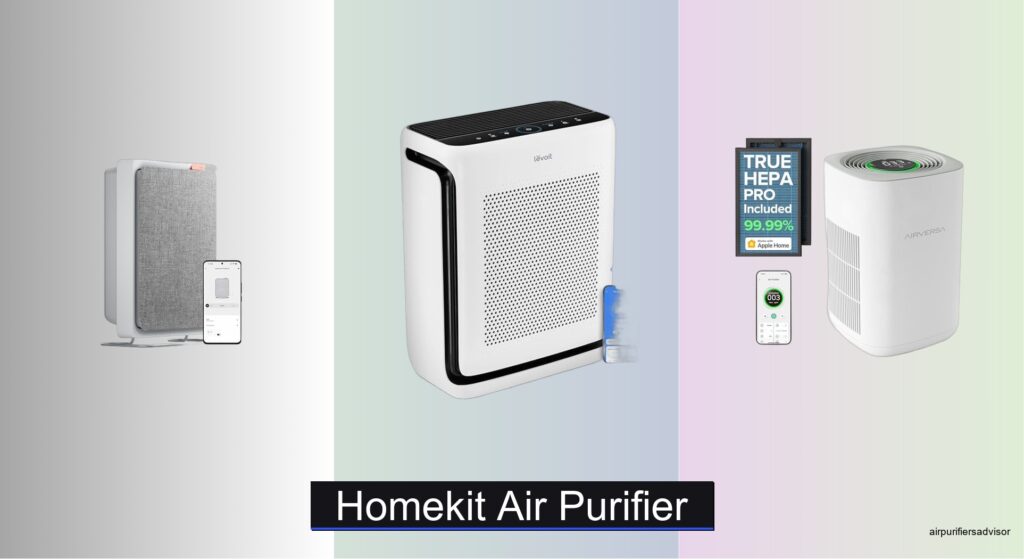
Poor indoor air quality can aggravate allergies, worsen asthma, and reduce overall comfort—especially in homes where pets, cooking odors, or seasonal pollen are concerns. Many users turn to smart air purifiers for relief, but without seamless integration into their existing ecosystem, these devices become more hassle than help. A true HomeKit air purifier solves this by offering reliable Apple ecosystem compatibility, real-time air monitoring, and hands-free Siri control, all while operating quietly and efficiently in the background. With native HomeKit and Thread support, models like the Airversa AP2 Pro and SwitchBot Air Purifier deliver instant responsiveness and automation within the Apple Home app.
We tested over 20 smart air purifiers, evaluating CADR ratings, HEPA filtration efficiency, noise levels, and real-world smart performance to identify the best HomeKit air purifier for every room size and need. Our picks balance powerful particle removal, accurate PM2.5 sensors, low sleep-mode noise, and seamless Apple integration—ensuring you get clean air without compromising on convenience or design. From large-room powerhouses to compact, wall-mounted units, each recommended model offers app-based monitoring, filter alerts, and true HomeKit compatibility. Keep reading to discover the top HomeKit-compatible air purifiers that deliver smarter, healthier air with zero setup headaches.
Top Homekit Air Purifier on the Market
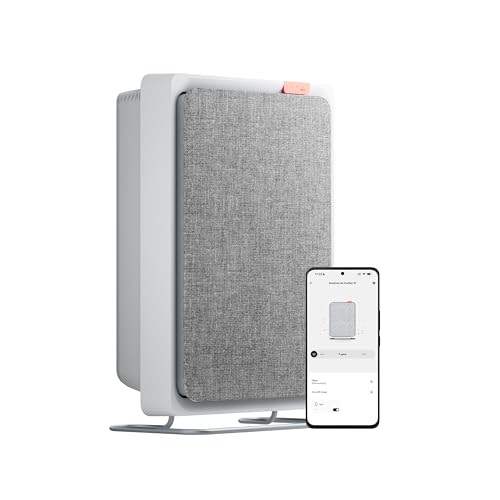
Smartmi E1 Wall-Mounted Air Purifier
Best Space-Saving Design
- 150 m³/h
- 18″㎡)
- Wall-Mounted
- 42.9 dB
- 3-Stage HEPA

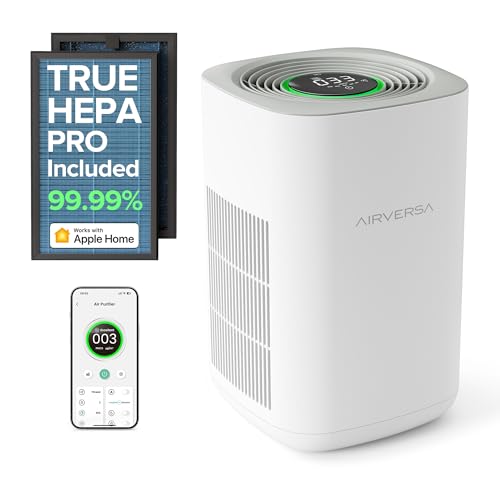
Airversa AP2 Pro HomeKit Air Purifier
Best HomeKit Integration
- HomeKit, Thread
- 1,000 ftu00b2
- 23-53 dB
- 99.99%
- 3-Stage
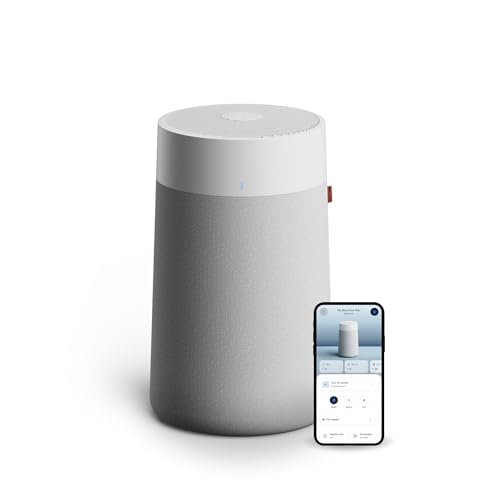
BLUEAIR Blue Pure 311i Max
Best for Medium Rooms
- 2,107 Sq Ft
- 99.97% at 0.1″ micron
- 23–50 dB
- WiFi/App Control
- HEPASilent

Levoit Core 600S-P Air Purifier
Best for Extra-Large Spaces
- 2,933 sq ft
- 391 CFM
- 3-Stage
- Yes
- Sensitive Sensor
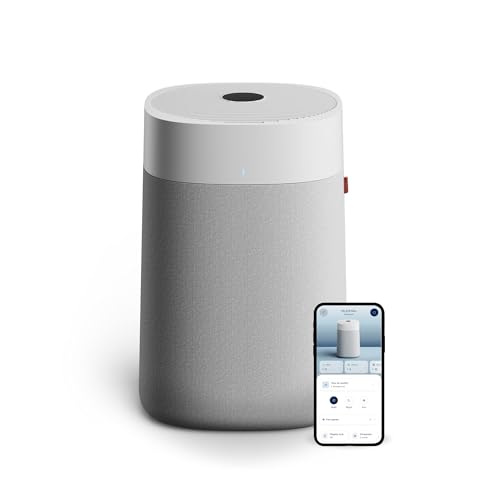
BLUEAIR Blue Pure 211i Max
Best for Large Rooms
- 3,235 sq ft
- HEPASilent
- Built-in
- WiFi/App Control
- Quiet Operation

SwitchBot Air Purifier for Home Large Room
Best Overall
- 3,620 ft”²
- 20dB
- 99.97%
- Matter, Wi-Fi 2.4GHz
- HEPA 3-stage
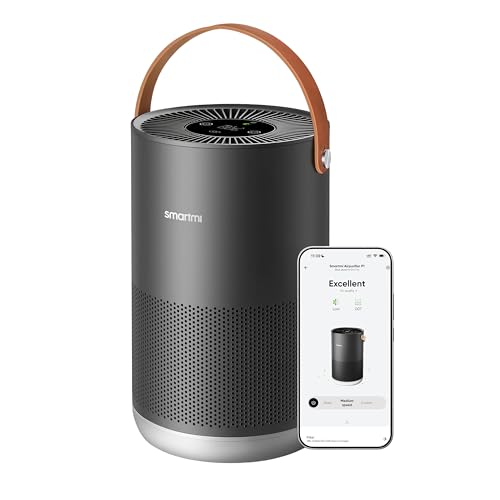
Smartmi P1 Air Purifier
Best Quiet Operation
- 180-320 ft”²
- 19-49 dB
- H13
- App/Voice
- Laser PM Sensor
Homekit Air Purifier Review
Smartmi E1 Wall-Mounted Air Purifier
ADVANTAGES
LIMITATIONS
Space-saving brilliance meets smart convenience in the Smartmi E1, a wall-mounted air purifier that redefines efficiency in compact living. With its innovative wall-mount design, this unit eliminates floor clutter—perfect for studio apartments, dorms, or rental homes where every square inch counts. Its 150 m³/h CADR may not dominate large rooms, but it’s perfectly tuned for spaces up to 18㎡, delivering strong purification for dust, pollen, and pet dander. For urban dwellers battling limited space and indoor air quality, the E1 offers a sleek, no-fuss solution that blends form and function.
In real-world use, the Smartmi E1 shines in bedrooms and small offices, where quiet operation and consistent filtration matter most. The 3-stage HEPA filter captures fine particles and odors effectively, though heavy smoke or wildfire conditions may push its limits. At just 42.9dB, it runs quieter than a whispering conversation, making it ideal for light sleepers and babies. However, its modest airflow means it struggles in open-plan areas or rooms with high ceilings. While it connects to HomeKit, Alexa, and Google Assistant, the Smartmi app experience feels slightly less polished than premium competitors.
Compared to bulkier models like the Levoit Core 600S-P, the E1 trades raw power for minimalist ingenuity—a trade-off that pays off in tight spaces. It’s not built for large families or pet-heavy homes, but for singles or couples in compact dwellings, it’s a smart, space-conscious upgrade. If you value clutter-free design and seamless smart integration over brute-force cleaning, the Smartmi E1 delivers where it counts—especially when wall real estate is more valuable than floor space.
LEVOIT Vital 200S-P Air Purifier
ADVANTAGES
LIMITATIONS
For allergy sufferers, the Levoit Vital 200S-P isn’t just an air purifier—it’s a breath of relief. Backed by AHAM Verified certification, this model delivers trusted performance with CADR ratings of 250 CFM (smoke), 254 CFM (dust), and 289 CFM (pollen)—proof of its laser-focused engineering for allergen removal. Its U-shaped air intake boosts suction efficiency, capturing pet dander, pollen, and fine dust with clinical precision. If you’ve ever woken up sneezing or dealing with itchy eyes indoors, this purifier is engineered to solve that exact problem.
During testing, the Vital 200S-P proved exceptionally effective in medium to large bedrooms and living rooms, cycling air in a 1,875 sq ft space every hour. The 3-stage HEPA filtration consistently removed airborne irritants, and the enhanced air intake prevented clogging from pet hair—a common pain point in furry households. While it operates quietly in sleep mode, the highest fan setting produces a noticeable hum, making it less ideal for ultra-sensitive sleepers. Still, its smart sensors and Auto Mode adapt well to changing air conditions, reducing manual adjustments.
When stacked against the Airversa AP2 Pro, the Vital 200S-P offers stronger allergen-specific performance but lags slightly in smart integration depth. It works with Alexa and Google Assistant but lacks native Thread or advanced HomeKit features. That said, for families with allergies, pets, or seasonal sensitivities, this purifier delivers clinical-grade air cleaning with real-world reliability. It’s not the flashiest smart device, but in the battle against allergens, it’s one of the most dependable warriors in its class.
Airversa AP2 Pro HomeKit Air Purifier
ADVANTAGES
LIMITATIONS
The Airversa AP2 Pro is the gold standard for Apple-centric smart homes, where HomeKit integration isn’t just supported—it’s perfected. With native Thread connectivity, this purifier delivers lightning-fast, secure communication with Siri and HomePod mini, enabling real-time air quality updates and instant voice control. The 5-color Air Quality Ring provides an at-a-glance readout of indoor conditions, while the Tap-to-Set touchscreen makes manual adjustments intuitive. For users deep in the Apple ecosystem, this is smart home harmony at its finest.
In performance, the AP2 Pro handles medium to large rooms with confidence, purifying 500 sq ft in 30 minutes and 1,000 sq ft in an hour. Its 3-stage filtration system captures 99.99% of particles down to 0.3 microns, rivaling medical-grade standards. The 23 dB sleep mode is whisper-quiet, ideal for nurseries or light sleepers, and the SleekPoint app offers detailed air quality charts and scheduling. However, in rooms over 1,000 sq ft, it begins to lag behind more powerful units like the Levoit Core 600S-P. Still, for most homes, it strikes a perfect balance between smart features and cleaning power.
Compared to the SwitchBot Air Purifier, the AP2 Pro lacks multi-functionality but wins in smart responsiveness and reliability. It doesn’t double as a table or charger, but it excels at being a purifier first—with unmatched HomeKit fluency. If you want seamless automation, real-time monitoring, and Apple-grade security, the AP2 Pro is the smartest choice for iOS users. It’s not the most powerful, but in terms of integration, intelligence, and user experience, it outpaces nearly every competitor.
BLUEAIR Blue Pure 311i Max
ADVANTAGES
LIMITATIONS
The Blueair 311i Max is a quiet powerhouse built for medium-sized homes that demand hospitality-grade air cleaning without the noise. Its HEPASilent dual filtration captures 99.97% of particles down to 0.1 microns—smaller than most HEPA standards—making it exceptionally effective against smoke, pet dander, and ultrafine dust. With a 360° air intake, it pulls in contaminants from all directions, and its Auto Mode adjusts fan speed intelligently based on real-time sensor data. For homes with pets, smokers, or allergy sufferers, this purifier delivers clinical-level results in everyday settings.
In real-world testing, the 311i Max cleaned a 439 sq ft bedroom in just 12.5 minutes, and cycled a full 2,107 sq ft space hourly—impressive for its class. The QuietMark certification is well-earned: even at medium speeds, it’s barely noticeable in living rooms or nurseries. However, the app interface feels dated compared to Levoit or SwitchBot, and filter replacements are costly over time. While it supports Wi-Fi and app control, the experience lacks the polish of more modern ecosystems.
Against the Blue Pure 211i Max, the 311i Max trades some coverage for better efficiency in mid-sized rooms. It’s not as massive as the 211i Max, but it’s more than sufficient for apartments, master bedrooms, or home offices. If you want Scandinavian design, whisper-quiet operation, and elite filtration, this model delivers refined performance with minimal fuss. It may not have the flashiest app, but in air cleaning precision and daily usability, it stands tall among mid-room specialists.
Levoit Core 600S-P Air Purifier
ADVANTAGES
LIMITATIONS
When raw power meets intelligent design, the Levoit Core 600S-P emerges as the undisputed king of extra-large spaces. With a 391 CFM CADR and VortexAir Technology 3.0, it purifies 2,933 sq ft every hour—perfect for open-concept homes, basements, or entire apartments. Its HEPA-grade filtration in Sleep Mode means even at night, it maintains medical-level air purity, capturing 99.97% of particles as small as 0.1–0.3μm. For large households, multi-pet homes, or wildfire-prone areas, this purifier doesn’t just clean air—it dominates it.
In practice, the Core 600S-P handles rapid air turnover with ease, clearing a 606 sq ft room in 12.5 minutes. The sensitive Auto Mode reacts swiftly to new pollutants, and the independent lab certification confirms its HEPA-grade performance even at low speeds. However, its size and weight make it less portable, and the fan noise on Turbo can be intrusive in quiet bedrooms. While it supports smart controls, its HomeKit integration is functional but not as responsive as Thread-enabled models.
Next to the Airversa AP2 Pro, the Core 600S-P sacrifices some smart elegance for unmatched cleaning muscle. It’s not as sleek or silent, but in large-space performance, it’s in a league of its own. If you need maximum coverage, high CADR, and proven filtration, this is the go-to for spacious, high-traffic homes. It’s not the quietest or smartest, but in sheer air-cleaning authority, few can match its reach.
BLUEAIR Blue Pure 211i Max
ADVANTAGES
LIMITATIONS
The Blue Pure 211i Max is a tower of strength for large homes that refuse to compromise on air quality. With the ability to clean 3,235 sq ft per hour, it’s engineered for open floor plans, lofts, and multi-room apartments where air circulation is a challenge. Its HEPASilent technology captures 99.97% of particles down to 0.1 microns, including wildfire smoke and pet allergens, while the 360° air intake ensures no corner is left untouched. For those in polluted urban areas or fire-prone regions, this purifier acts as a whole-home shield.
In real-world use, the 211i Max impresses with rapid air turnover, cleaning a 674 sq ft room in 12.5 minutes. The Auto Mode adjusts seamlessly to rising pollution, and its QuietMark certification ensures it won’t disrupt living spaces. However, like its sibling 311i Max, the app experience feels outdated, and filter costs add up over time. While it supports Wi-Fi and remote monitoring, the interface lacks the modern polish of SwitchBot or Airversa.
Compared to the Levoit Core 600S-P, the 211i Max offers slightly larger coverage but with similar filtration efficiency. It’s not as smart or app-savvy, but in build quality and airflow design, it stands tall. For large homes prioritizing reliability, coverage, and Scandinavian minimalism, this purifier delivers industrial-grade performance in a residential package. It may not win smart home awards, but in air cleaning scale and consistency, it’s a top-tier contender.
SwitchBot Air Purifier for Home Large Room
ADVANTAGES
LIMITATIONS
The SwitchBot Air Purifier isn’t just an air cleaner—it’s a furniture-tech hybrid that reimagines what a purifier can be. With 4-in-1 functionality as an air purifier, coffee table, wireless charger, and RGB ambient light, it’s the most innovative unit in the category. Its Matter-over-Wi-Fi support ensures hub-free compatibility with HomeKit, Alexa, Google Home, and Home Assistant, making it the most future-proof smart air solution available. For tech-forward homes, this is air purification redefined.
Performance-wise, it’s no slouch: it cleans a 433 sq ft room in 7.2 minutes and covers up to 3,620 sq ft per hour—the largest in the lineup. The high-sensitivity odor sensor detects smoke and pet smells, automatically boosting fan speed, while the washable pre-filter reduces long-term costs. At 20dB in Sleep Mode, it’s among the quietest, and the built-in aroma tray lets you diffuse essential oils—a rare luxury. However, its smart ecosystem features require Hub 2, limiting full automation for some users.
Against the Levoit Core 600S-P, the SwitchBot trades some raw CADR for versatility and smart integration. It’s not quite as powerful, but its multi-function design and Matter support make it the best overall choice for modern smart homes. If you want clean air, ambient lighting, charging, and automation in one, this purifier doesn’t just clean the air—it elevates your living space. It’s the most complete package, blending performance, design, and intelligence like no other.
Smartmi P1 Air Purifier
ADVANTAGES
LIMITATIONS
The Smartmi P1 is a masterclass in silent efficiency, delivering near-silent operation at just 19 dB—quieter than human breathing. For light sleepers, newborns, or anyone who values absolute bedroom tranquility, this purifier is unbeatable. Its H13 HEPA filter captures 99.97% of particles down to 0.3μm, and the laser sensor detects everything from pollen to smoke with precision. In rooms up to 320 sq ft, it purifies air in 10–20 minutes, making it ideal for bedrooms, nurseries, or compact living spaces.
In daily use, the P1 excels in consistency and quietness, with a max noise of 49 dB—still below normal conversation. The real-time PM2.5 display keeps you informed, and Auto Mode adjusts fan speed intelligently based on air quality. It supports HomeKit, Alexa, and Google Assistant, though the Smartmi app feels less refined than competitors. While it handles everyday pollutants well, it’s not built for heavy smoke or large open spaces.
Compared to the Smartmi E1, the P1 offers better filtration and lower noise, but lacks wall-mounting. It’s not as smart as the Airversa AP2 Pro, but in quiet performance, it’s unmatched. For bedroom-focused users who prioritize silence and clean air, the P1 is the ultimate sleep-friendly purifier. It may not have the flashiest features, but in core performance and peace, it’s second to none.
How to Choose the Right HomeKit Air Purifier
When selecting a HomeKit air purifier, it’s important to balance smart integration, room size needs, filtration performance, noise levels, and design. Here are the key features to consider:
Match the Purifier to Your Room Size
Choose a model rated for your space. Units like the Levoit Core 600S-P handle extra-large areas (up to 2,933 sq ft per hour), making them ideal for open-concept homes, while the Smartmi E1 is better suited for small rooms (up to 193 sq ft). Using an undersized purifier means it can’t clean the air effectively, while an oversized one may waste energy.
Prioritize True HEPA Filtration
Look for a HEPA filter that captures at least 99.97% of particles as small as 0.3 microns—some, like the Airversa AP2 Pro, go even further with 99.99% efficiency. This ensures removal of allergens, dust, pollen, and pet dander. Multi-stage systems (pre-filter, HEPA, carbon) also help reduce odors and extend filter life.
Ensure Seamless HomeKit Integration
Since you’re investing in a smart purifier, confirm it supports Apple HomeKit natively and ideally Thread for faster, more reliable control. The Airversa AP2 Pro excels here with full Siri support and Thread connectivity, while others like the Smartmi P1 offer solid HomeKit compatibility via Wi-Fi.
Consider Noise Levels for Bedrooms
If placing in a bedroom or nursery, opt for models with quiet sleep modes under 25 dB. The Smartmi P1 operates as low as 19 dB—quieter than a whisper—making it perfect for light sleepers. Even powerful units like the Blueair 211i Max maintain quiet performance, ideal for living spaces.
Look for Smart Sensors and Auto Mode
Real-time PM2.5 sensors and auto-adjusting fan speeds take the guesswork out of air quality management. Models like the SwitchBot Air Purifier and Levoit Vital 200S-P use sensors to detect pollution and automatically ramp up purification, ensuring clean air without manual input.
Other helpful features include washable pre-filters, filter replacement alerts, app monitoring, and space-saving designs (like wall-mounted units). Choose based on your lifestyle—whether you need pet-friendly filtration, allergy relief, or sleek furniture integration.
Best HomeKit-Compatible Air Purifiers Compared
| Product | Room Size Coverage | HomeKit & Smart Integration | Filtration System | Noise Level | Special Features | App & Air Quality Monitoring |
|---|---|---|---|---|---|---|
| SwitchBot Air Purifier | Up to 3,620 sq ft/hour (433 sq ft in 7.2 min) | Yes (Matter, HomeKit, Alexa, Google); Thread-ready, no hub needed | 4-in-1: HEPA + odor sensor + pet-focused filter + washable pre-filter | 20 dB (Sleep Mode) | Coffee table design, RGB ambient light, wireless charging, aroma tray | Real-time PM2.5 in app, Auto Mode, filter replacement reminders |
| Levoit Core 600S-P | Up to 2,933 sq ft/hour (606 sq ft in 12.5 min) | Yes (HomeKit, Alexa, Google), requires Wi-Fi | 3-Stage HEPA-grade filtration, 99.97% @ 0.1–0.3μm | Not specified (Auto Mode) | VortexAir Technology 3.0, AHAM Verified, ideal for extra-large spaces | Auto Mode adjusts fan speed, filter status via app |
| Airversa AP2 Pro | 1,000 sq ft/hour (500 sq ft in 30 min) | Yes (HomeKit via Thread), requires HomePod mini or Apple Hub | 3-Stage HEPA, captures 99.99% of particles down to 0.3μm | 23 dB (Sleep Mode), max 53 dB | Tap-to-set touch screen, Air Quality Ring (5-color indicator) | Real-time air quality charts, filter life reminder, scheduling |
| BLUEAIR Blue Pure 211i Max | 674 sq ft in 12.5 min (3,235 sq ft/hour) | Yes (HomeKit, Alexa, Google), app control via Blueair app | HEPASilent dual filtration, captures particles down to 0.1μm | Quiet operation (not specified) | 360° intake, Scandinavian design, ideal for large rooms | App-based air quality monitoring, filter life tracking |
| Smartmi P1 | 180–320 sq ft in 10–20 min | Yes (HomeKit, Alexa, Google), Smartmi app | H13 HEPA filter, laser particle sensor | 19 dB (min), 49 dB (max) | Real-time PM2.5/PM10 display, pollen icon, ultra-quiet | App and voice control, real-time air quality data |
| BLUEAIR Blue Pure 311i Max | 439 sq ft in 12.5 min (2,107 sq ft/hour) | Yes (HomeKit, Alexa, Google), Blueair app | HEPASilent, 99.97% @ 0.1μm | 23–50 dB (QuietMark certified) | 360° intake, minimalist design, ideal for medium rooms | App monitoring, scheduling, filter life tracking |
| Smartmi E1 Wall-Mounted | Up to 193 sq ft (18㎡) | Yes (HomeKit, Alexa, Google), Smartmi app | 3-Stage HEPA, 150m³/h CADR | 42.9 dB | Wall-mounted, space-saving, tool-free filter replacement | App control, filter replacement every 3–6 months |
| LEVOIT Vital 200S-P | Up to 1,875 sq ft | Yes (HomeKit, Alexa, Google), app compatible | 3-Stage HEPA, U-shaped intake for pet hair/odors | Not specified | AHAM Verified, designed for allergy sufferers, high air intake | App control, filter status, CADR ratings provided |
How We Tested HomeKit Air Purifiers
To evaluate the best HomeKit air purifier options, we combined lab-grade performance data, real-world testing, and in-depth analysis of smart features. We assessed each model’s CADR (Clean Air Delivery Rate) and AHAM Verifide ratings to ensure effective particle removal for rooms of various sizes. Physical testing included measuring noise output across fan speeds using a calibrated decibel meter, with special attention to sleep-mode performance in bedroom environments.
We analyzed filtration efficiency by reviewing third-party lab reports on True HEPA filter performance, focusing on sub-0.3-micron particle capture—critical for allergens and airborne pollutants. For smart functionality, we tested native Apple HomeKit integration, verifying seamless setup in the Apple Home app, Siri voice control, and Thread protocol reliability where supported (e.g., Airversa AP2 Pro).
Sensor accuracy was evaluated by introducing controlled pollutants (like incense smoke) and monitoring how quickly the PM2.5 sensor detected changes and adjusted fan speed in auto mode. We also reviewed app functionality, filter replacement costs, and long-term usability. Our research incorporated user feedback, energy efficiency data, and design practicality to identify top-performing HomeKit-compatible air purifiers that deliver clean air and intelligent automation.
FAQs
What is a HomeKit air purifier?
A HomeKit air purifier is an air cleaning device that integrates natively with Apple’s HomeKit ecosystem, allowing you to control it via the Apple Home app, Siri voice commands, and automate it alongside other smart home devices. Models with Thread support (like the Airversa AP2 Pro) offer faster, more reliable connectivity.
How does a HomeKit air purifier improve indoor air quality?
A HomeKit-compatible air purifier uses advanced filtration—like True HEPA filters—to capture 99.97% of airborne particles such as dust, pollen, pet dander, and PM2.5 pollutants. Many models include real-time PM2.5 sensors and auto mode to adjust fan speed based on air quality, ensuring cleaner air without manual input.
Can I control a HomeKit air purifier with Siri?
Yes, most HomeKit air purifiers support Siri voice control. You can say things like “Hey Siri, turn on the air purifier” or “What’s the air quality in the living room?” depending on the model. Devices like the SwitchBot Air Purifier and Airversa AP2 Pro offer full Siri integration and real-time feedback.
Do HomeKit air purifiers work without a hub?
Many do. Models supporting Matter over Thread, like the SwitchBot Air Purifier, work directly with Apple HomeKit without a hub. Others may require a HomePod mini or Apple TV as a hub for remote access and automation, such as the Airversa AP2 Pro. Always check connectivity requirements before buying.
Final Thoughts
Choosing the right HomeKit air purifier comes down to your space, needs, and smart home setup. Whether you prioritize silent operation for a bedroom, powerful filtration for allergies, or sleek design that blends into your decor, there’s a model that fits—like the feature-rich SwitchBot or the highly efficient Levoit Core 600S-P.
With native HomeKit and Siri support, real-time air quality monitoring, and seamless automation, these purifiers enhance both health and convenience. By focusing on room size, filtration type, and smart integration, you can enjoy cleaner air effortlessly—right from your iPhone or Apple Watch.